

Bot filtering: levels and lists
The bot filter decides which clicks count as bots: four levels from Off to JavaScript, a bot action, quarantine and your own IP and User-Agent lists.
The filter decides which clicks count as bots. It is set in a template (Links mode) or in a campaign (Tracker mode) and applies to all of its links. A bot click does not go through streams and does not reach the destination URL, and statistics count it separately. The click card shows why the filter took a click for a bot: quarantine, first clicks, a black list, the referrer, the browser check and other reasons.
The settings live in the Bot Settings block and in Advanced Settings. In a campaign the main ones are gathered in the Bots field, see below.
Levels
| Level | When it fits |
|---|---|
| Off | you do not need a check, for example for your own tests. Clicks are not checked at all, see below |
| Standard | filters out obvious automation and is less likely to catch real people |
| High | stricter; the default |
| JavaScript | the strictest: it also checks the visitor's browser. People with JavaScript turned off will count as bots |
From High up, the filter also checks the IP against a reputation list, looks for common and server automation signatures and checks request headers: an empty Accept and suspicious headers.

How to choose a level
The stricter the level, the more bots it filters out and the higher the risk of taking a real person for a bot. Start with High. If statistics show many bots, try JavaScript. If people complain that real visitors do not get through, use Standard.
Change the level one step at a time and compare statistics for equal periods before and after. Changes apply at once, and you see the result in the click log, in the Humans and Bots segments. For different traffic sources it helps to make different templates or campaigns.
The JavaScript level
The browser check works only with the Meta Refresh, JavaScript and Image And Redirect methods and with a landing. With other methods the level works as High.
The Off level
With the level Off, or the bot action Do not check for bots, the filter does not check clicks. Search crawlers, messenger previews and other automatic traffic go through streams and to the destination URL together with people. Bot lists and the allowed referrer do not apply, and check pages and quarantine do not turn on. Only a click that a stream sent to Treat as bot becomes a bot.
Bot action
In a template you choose the action in the Bot Action field. By default bots are sent to the bot URL.
| Action | What the bot gets |
|---|---|
| Send to the bot URL | a redirect to your bot URL. If the URL is empty, the bot goes to a random popular site |
| Show a landing page | your landing. If no landing is chosen, a 404 |
| Show nothing (code 205) | an empty response with code 205 |
| 404, 403, 500 | an empty response with that code |
| Keep on the page, do not redirect | stays on the check page |
| Only mark, send like people | see below |
| Do not check for bots | the same as the level Off |
Only mark
The check runs and the click is marked as a bot, but the address does not change: the bot goes through streams and to the destination URL like a person. No bot page, no captcha, no quarantine. This fits when you first want to see how many bots are in your traffic and cut nothing off.
There is one exception: a stream with the Treat as bot destination still sends the click to the bot URL in this mode.
Bots in a campaign
In a Tracker-mode campaign you choose the bot action in the Bots field. The default level is High.
| Choice | What happens |
|---|---|
| Mark | the same as Only mark. The default |
| Divert | the bot goes to the address set with the Change button |
| Don't check | checks are off and every click counts as a person |
Quarantine
The Quarantine after the first bot, minutes field (0 to 60) turns quarantine on: after the first real bot, all traffic of the link gets the bot page for that many minutes. 0 turns it off. It starts once per link.
During the quarantine window real visitors also see the bot page. Turn it on before you launch creatives: on a link that already has traffic, the first stray bot will cost you sales for the whole window.
Quarantine does not work with the actions Only mark, send like people and Do not check for bots.
First clicks
The Treat first clicks as bots field (0 to 1000) marks the first N clicks of a link as bots.
Bot lists
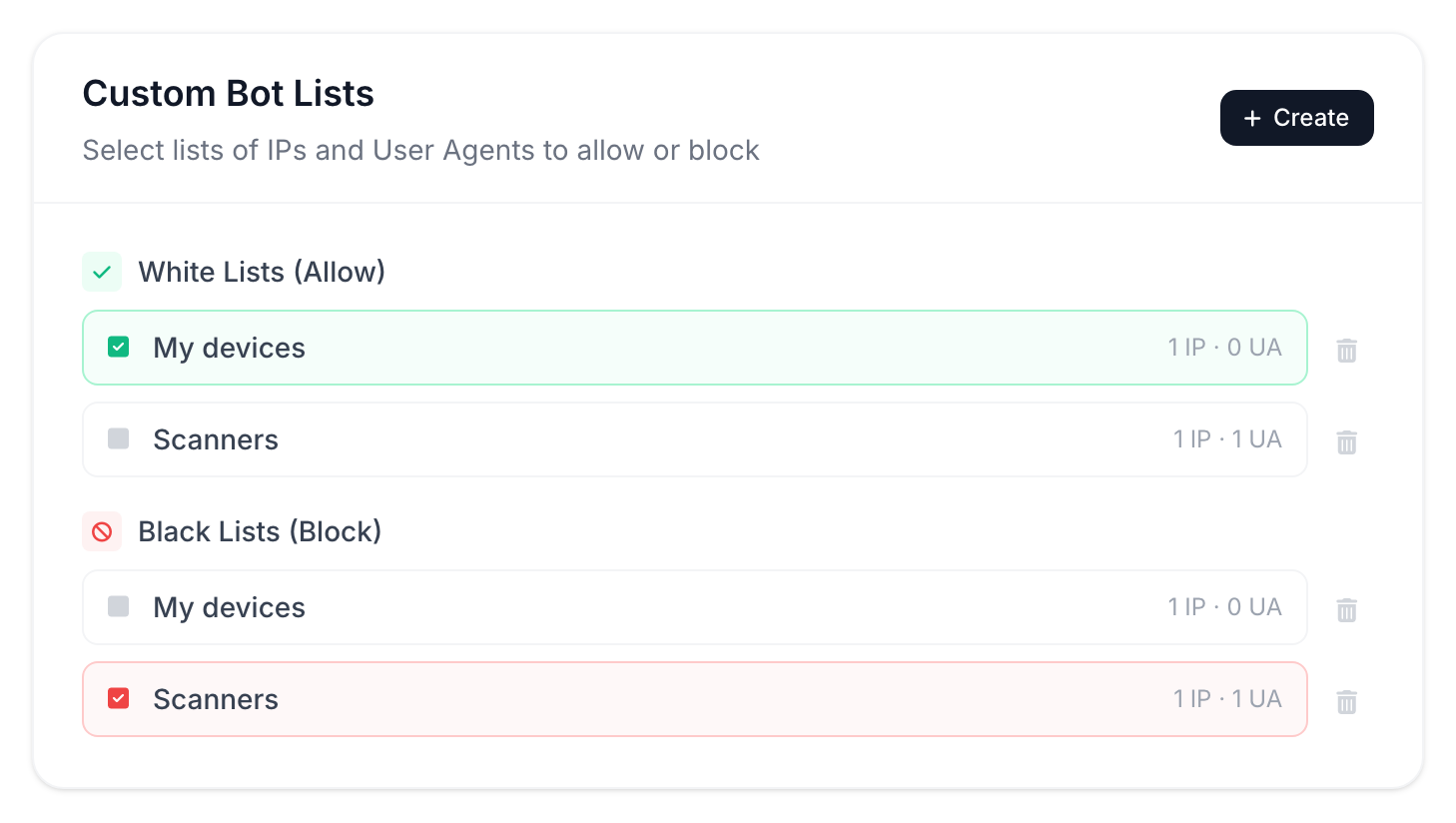
You can collect your own IP addresses and User-Agents into a list and attach it. This is done in Advanced Bot Settings, where you also find Bot Detection Sources. Visitors from a black list count as bots, and visitors from a white list pass without a check. Lists belong to the account: one list can be attached to any template or campaign.
The Create Bot List button opens a form. An IP list takes an address, a CIDR subnet or a range, up to 10,000 entries. A User-Agent list takes up to 100 entries.
The order of checks is: the white list first, then the black list, then the allowed referrer.
Detection sources
In Bot Detection Sources you can turn individual signs on and off: Unknown Platform, Unknown Browser, Empty Country, Empty City, IPv6, Datacenters, VPN, Empty Referrer.
Allowed referrer
The Allowed referrer field is in Advanced Settings → Security & Integrations.
If you enter domains, every other click, with no referrer or from other sites, counts as a bot. Many clicks from apps and direct visits have no referrer.
The field fits when traffic comes only from known sites. Separate several domains with commas; subdomains of the listed domains are allowed too.
Streams: geo, devices and other conditions
A stream sends part of the traffic to a separate URL by country, device, source and other conditions; the first matching stream from the top wins.
Redirect methods
The redirect method defines what a visitor sees between the click and the destination URL: 10 methods, from Meta Refresh to 302 and iFrame.