

Postbacks and reports
How to get conversions back from the affiliate network, pass them on to the ad network and calculate ROI.
The affiliate network reports a conversion with a request to your postback URL. The tracker finds the click by click_id — and with it the offer, source and cost — and calculates revenue, cost and ROI.
Postback URL
Open Tracker → Conversions → Postback URL, copy the address and paste it into the affiliate network dashboard.
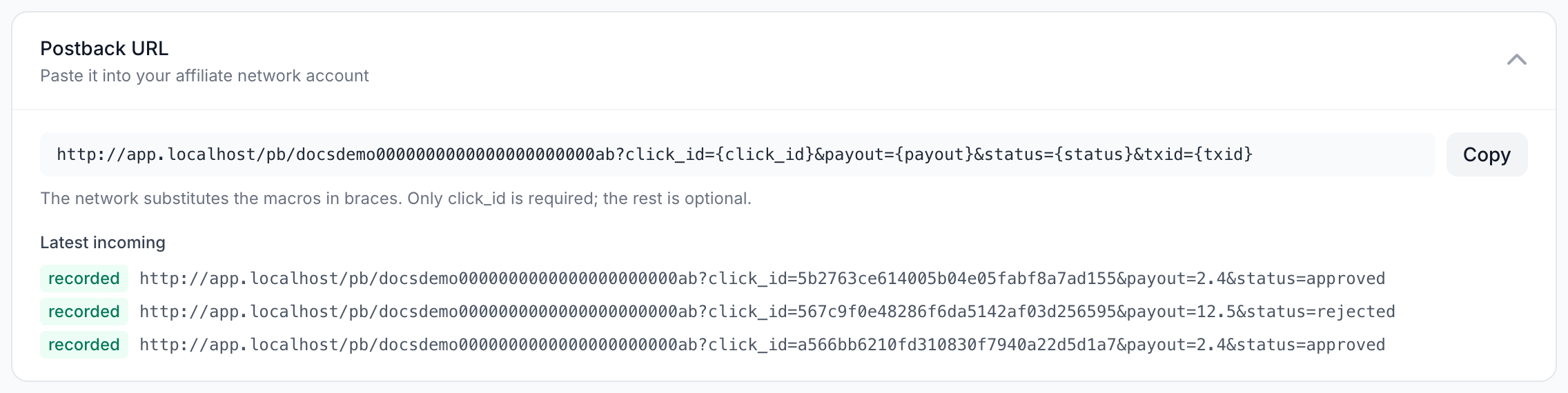
The network fills in the macros in braces — replace them with its own macro names.
| Parameter | What it carries | Also accepted as |
|---|---|---|
click_id | required: the click ID the tracker put into the offer address | clickid, subid, sub_id, cid |
payout | payout | sum, amount, revenue |
status | conversion status | cnv_status, event, type |
txid | conversion ID at the network | conversion_id, transaction_id |
Statuses: approved, sale, confirmed — approved; lead, hold, pending — pending; rejected, cancel, trash — rejected. Without a status the conversion is pending.
A repeated postback with the same txid does not create a new conversion — it updates the status of the existing one, so a lead can become a sale. If the network sends no txid, there is one conversion per click.
Under the address you will see recent incoming postbacks and the result of each: recorded, click not found and so on. Start there if conversions do not show up.
Conversions
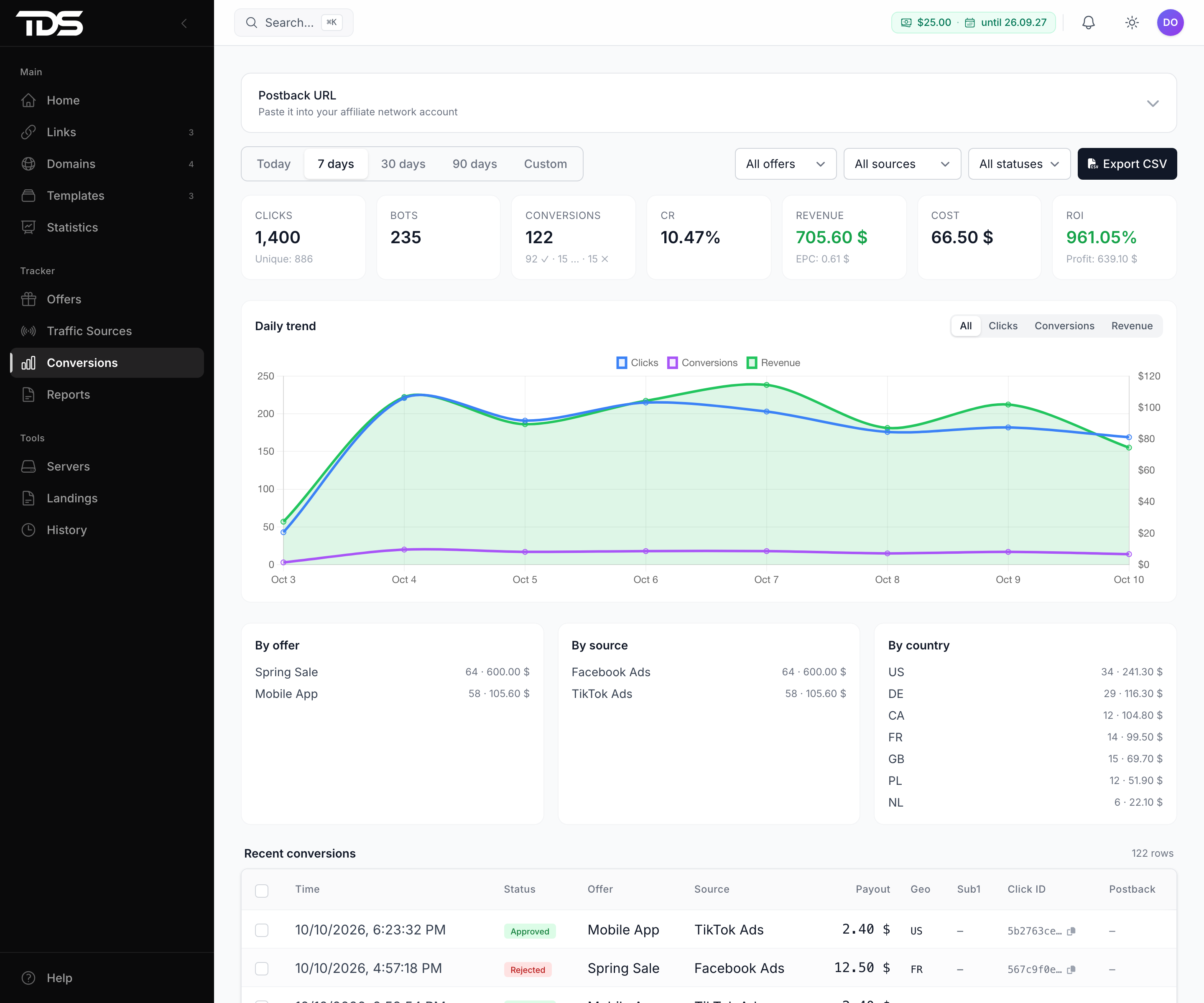
Conversions shows totals for the period, a daily chart, breakdowns by offer, source and country, and the list of every conversion. You can change a status by hand: select rows and pick a new one. Export CSV downloads the list.
| Metric | How it is calculated |
|---|---|
| Revenue | payouts of approved conversions in the tracker currency; payouts in another currency appear in the list but are not counted as revenue |
| Cost | prices of all clicks, bots included |
| Profit | revenue − cost |
| ROI | (revenue − cost) / cost × 100% |
| CR | conversions / clicks × 100% |
| EPC | revenue / clicks |
Days follow the time zone in your profile settings.
Postback to the ad network
So that the ad network can optimize campaigns for conversions, put its address into the traffic source Postback field, e.g. https://network.example.net/pb?click_id={external_id}&payout={payout}&status={status}. {external_id} is the network's own click ID (fbclid, ttclid) saved on the visit. Also available: {click_id}, {cost}, {currency}, {sub1}–{sub10}.
The tracker sends a postback to the network after every accepted postback from the affiliate network. If the network does not answer, it retries five more times: after 1, 5, 15 and 60 minutes and after 6 hours. Failed deliveries are listed in Conversions.
Reports
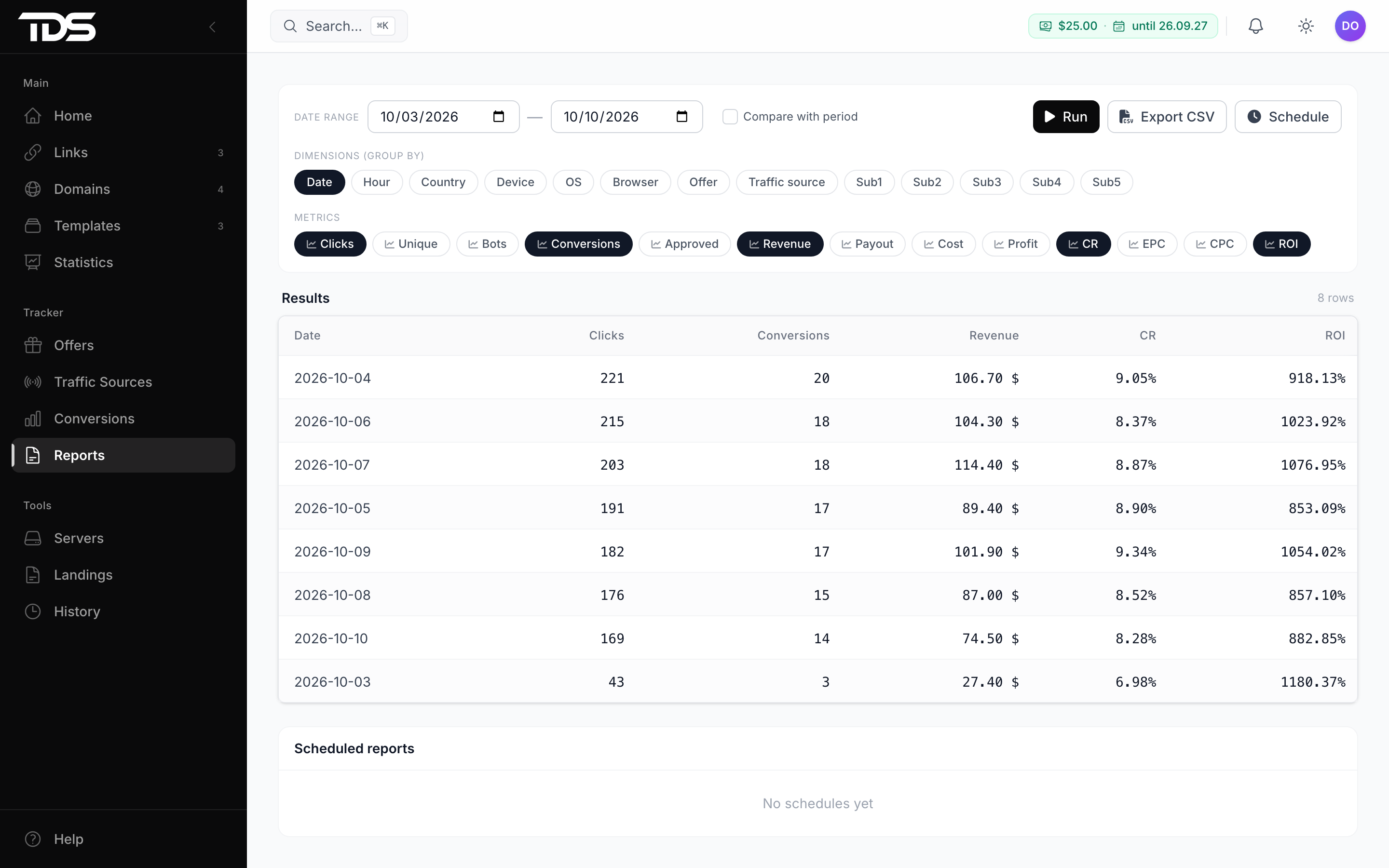
Reports is a builder: choose a period, dimensions (date, hour, country, device, offer, source, sub1–sub5) and metrics, then click Run. You can compare with a previous period and export the result to CSV.
Home page
With the tracker on, the home page shows today's revenue, ROI and conversions, plus Top Campaigns — the links with the highest revenue over 30 days.

