

Templates
Creating a template, its settings, and how changes reach existing links.
A template defines how links behave: where to send people, which redirect method to use, how to filter out bots and by which rules to split traffic. You can create any number of links from one template.
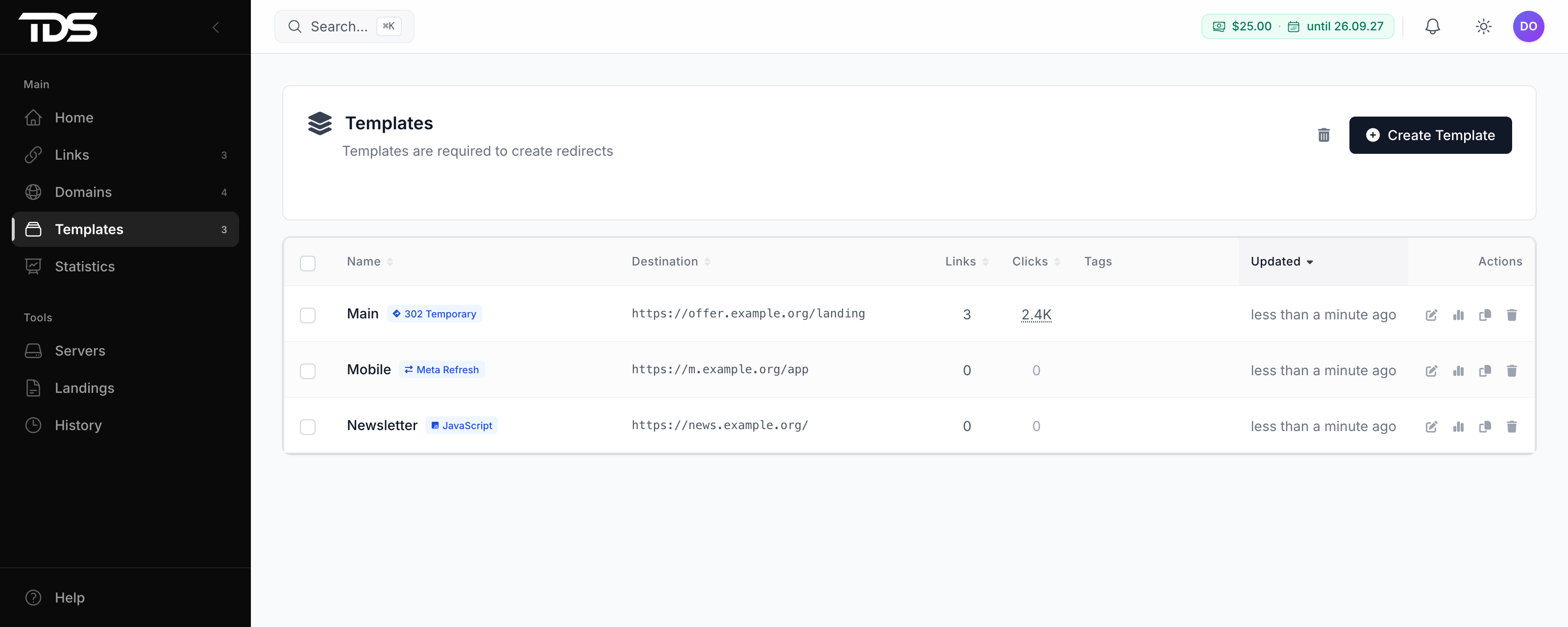
You need a separate template when a group of links needs different behavior — for example, its own filter or its own streams for a separate source.
Creating
Open Templates → Create Template. Only the name is required; you can leave the rest at the defaults. Do not forget to set the bot URL — without it, bots go to a random popular site.
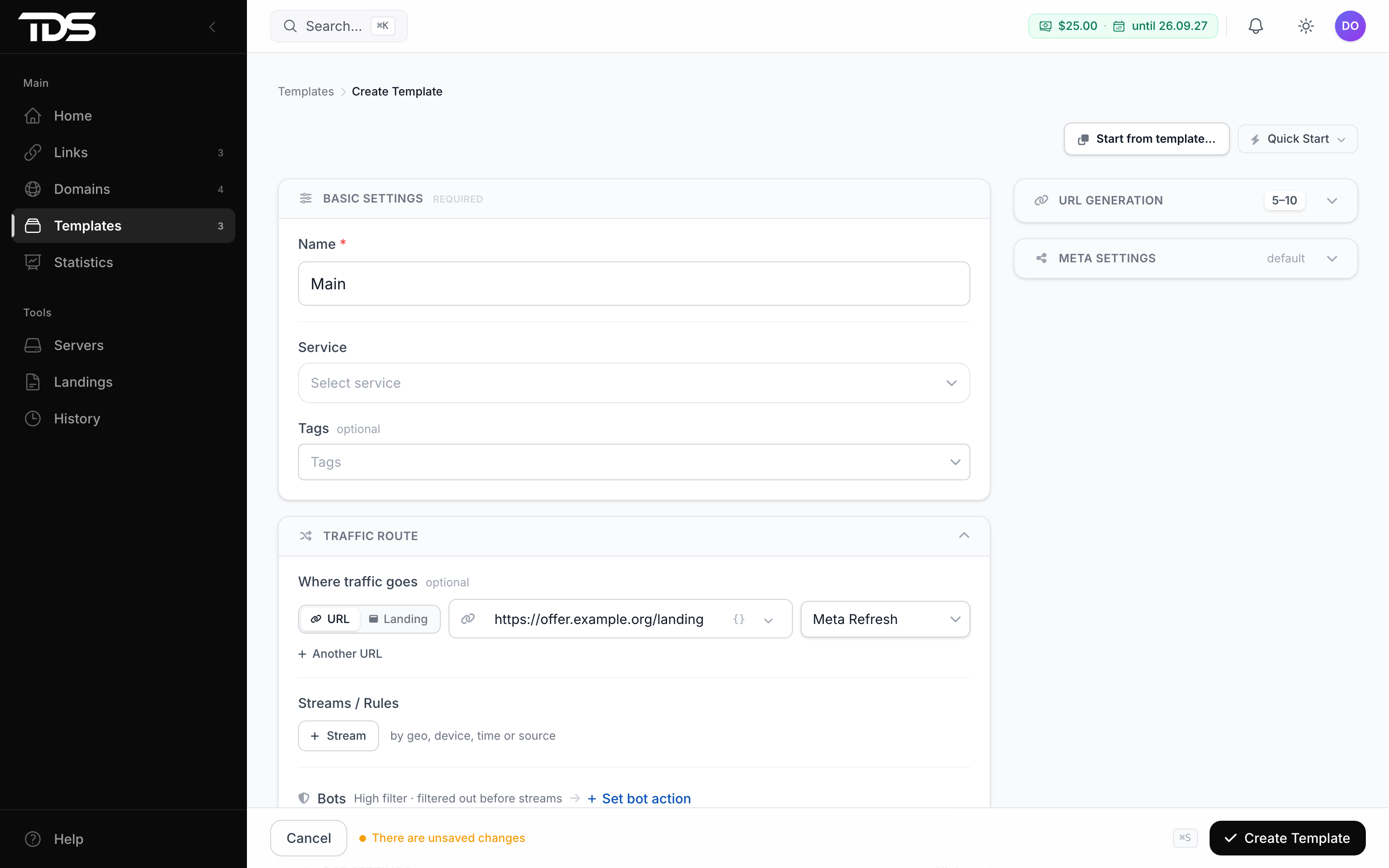
The Quick Start menu fills in the form for a typical task:
| Option | What it sets |
|---|---|
| Safe redirect | Meta Refresh with a 2 s delay, High filter |
| High performance | instant 302, bot filter off |
| Anti-bot protection | JavaScript filter and a 3 s delay; the redirect method stays as it is |
| Mobile-optimized | JavaScript with a 1 s delay, Standard filter |
Start from template... fills in the form with the settings of one of your templates, and Copy in the template list makes an exact copy of it.
Settings
Service
The platform the traffic comes from: VK, Facebook, TikTok and others. If you set it, the filter also recognizes that platform's robots. If you leave it empty, the platform is detected for each click automatically.
Several destination URLs
In one template or link you can set several URLs and split traffic between them. Shares are weights, not percentages: 1 and 3 give 25% and 75%.
How to choose defines what a returning visitor gets:
- At random — a new draw by the shares every time;
- Keep the same — the same URL as last time;
- A different one — another URL.
A visitor is recognized by IP and browser; the memory is kept for 24 hours, and you can change this period.
Parameter forwarding
By default, parameters from the ad link are not passed to the destination URL. GET parameters appends them to the URL: example.com/promo?sub1=abc opens https://offer.example.org/lp?sub1=abc. More in parameter passing and macros.
Redirect Delay
Works with Meta Refresh, Double Meta Refresh, JavaScript and Image And Redirect — up to 30 seconds. With other methods the redirect is instant or happens on click.
Auto-disable Links
Sets a lifetime for new links — from 1 to 720 hours from creation. When it runs out, the link is paused: visitors get a 403 error. Changing the field affects only new links; for existing links, change the lifetime in bulk operations.
Link address
The URL Generation settings define how the random slug looks in new links: length from 1 to 20 characters and the character set. Generate random URL phrases adds a word to the address after /, for example example.com/Ab3xZ/sunflower — it does not affect how the link works.
Messenger previews
The preview title, description and image are set in Meta Settings. They work with all redirect methods except 301 and 302 — there the preview is built from the bot page. More in redirect methods.
- Meta Image — a direct link to the file that opens only the image: right-click the image → Copy Image Address, or upload the file to imgbb.com and take the direct link. The best size is 1200×630.
?instead of the title or image — a random title or a random image.
If the Meta Description contains a ? anywhere, the whole description is replaced with random text. Do not use ? in the description.
You can check how the preview looks at metatags.io.
Preview did not update
Messengers cache a link's preview. After an edit, you need to reset it:
| Where | How to update |
|---|---|
| Facebook, Instagram | Sharing Debugger → Debug |
| Telegram | send the link to the @WebpageBot bot |
| VK | the pages.clearCache method |
| cannot be reset — use a new link |
Changes in existing links
The redirect method and bot filtering change for all links of the template at once. A link gets the destination URL, bot URL, streams and preview when it is created, so after you edit them the dashboard asks whether to update existing links. Select what to carry over and click Save & update links.
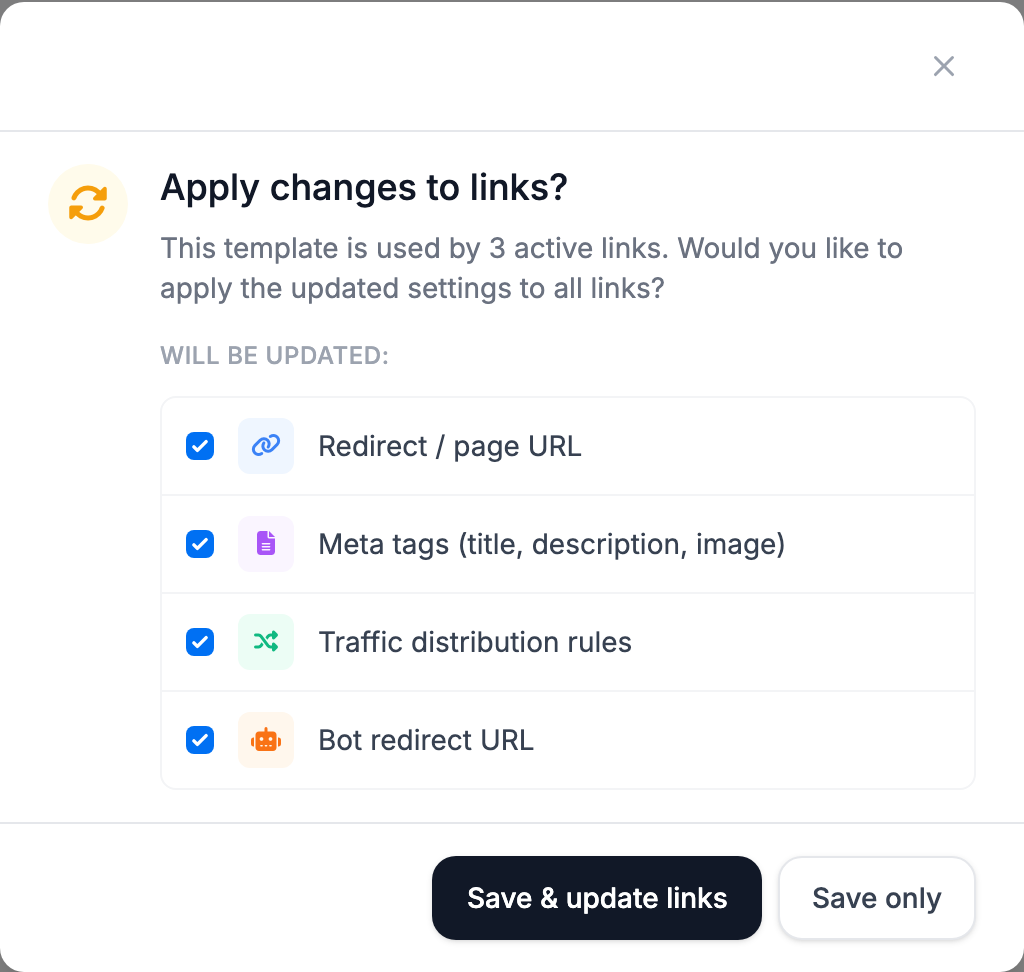
The update replaces URLs and streams that you changed in individual links.
Default template
The link creation form selects it automatically. Set it in the template menu — Make default.
Deletion
Together with the template, all its links go to the trash and stop receiving traffic. You can restore the template and links from the trash within 10 days.