

Bot filtering: levels and actions
Filter levels, bot actions, first clicks, bot lists and the allowed referrer.
The filter decides who counts as a bot, and the bot action decides what a bot gets. Both settings are set in the template and apply to all its links.
Levels
| Level | When it fits |
|---|---|
| Off | you do not need the filter, for example for your own tests. Only known robots — search engines and messenger previews — and your blacklists still count as bots |
| Standard | filters out obvious automation and is less likely to catch real people |
| High | stricter; the default |
| JavaScript | the strictest: also checks the visitor's browser. People with JavaScript turned off count as bots |

How to choose a level
The stricter the level, the more bots it filters out and the higher the risk of taking a real person for a bot. Start with High. If statistics show many bots, try JavaScript; if people complain that real visitors do not get through, use Standard.
Change the level one step at a time and compare statistics for equal periods before and after. It is convenient to make separate templates for different traffic sources.
JavaScript level
The browser check works only with the Meta Refresh, JavaScript and Image And Redirect methods and with a landing page. With other methods, the level works like High.
Bot actions
A bot gets the action before streams, so streams do not affect it. The bot's click is recorded in statistics.
| Action | What the bot gets |
|---|---|
| Send to the bot URL | a redirect to your bot URL. If no URL is set, to a random popular site |
| Show a landing page | the bot landing page at the link address |
| Show error 404, 403, 500 or code 205 | an empty response with that code |
| Keep on the page, do not redirect | the page without a redirect |
| Do not check for bots | the filter is off, everyone goes through as people |
Treat first clicks as bots
The first N clicks on each link get the bot action. This keeps your own test visits from reaching the destination URL.
Bot lists
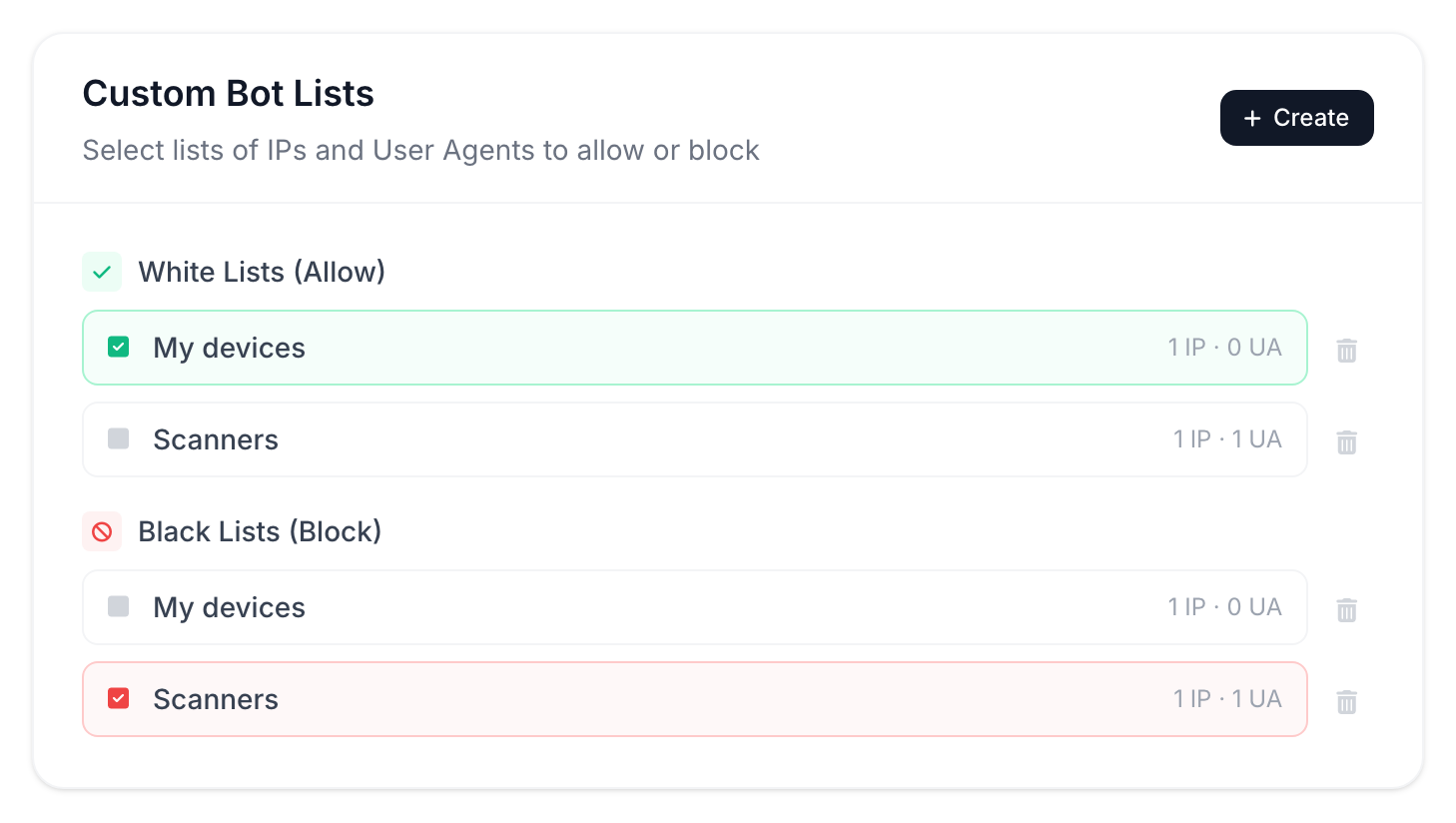
You can collect your own IP addresses and User-Agents into a list and attach it to a template. A blacklist sends visitors to the bot action, a whitelist lets them through without a check. Lists are shared across the account: you can attach one list to any template.
Allowed referrer
If you enter domains, all other clicks — without a referrer or from other sites — count as bots. Many clicks from apps and direct visits have no referrer.
The field fits when traffic comes only from known sites. Subdomains of the listed domains are allowed too.
Filter changes take effect immediately. You can see the result in the click log, in the Humans and Bots segments.