

Streams: geo, devices and other conditions
How to split traffic by country, device and other conditions.
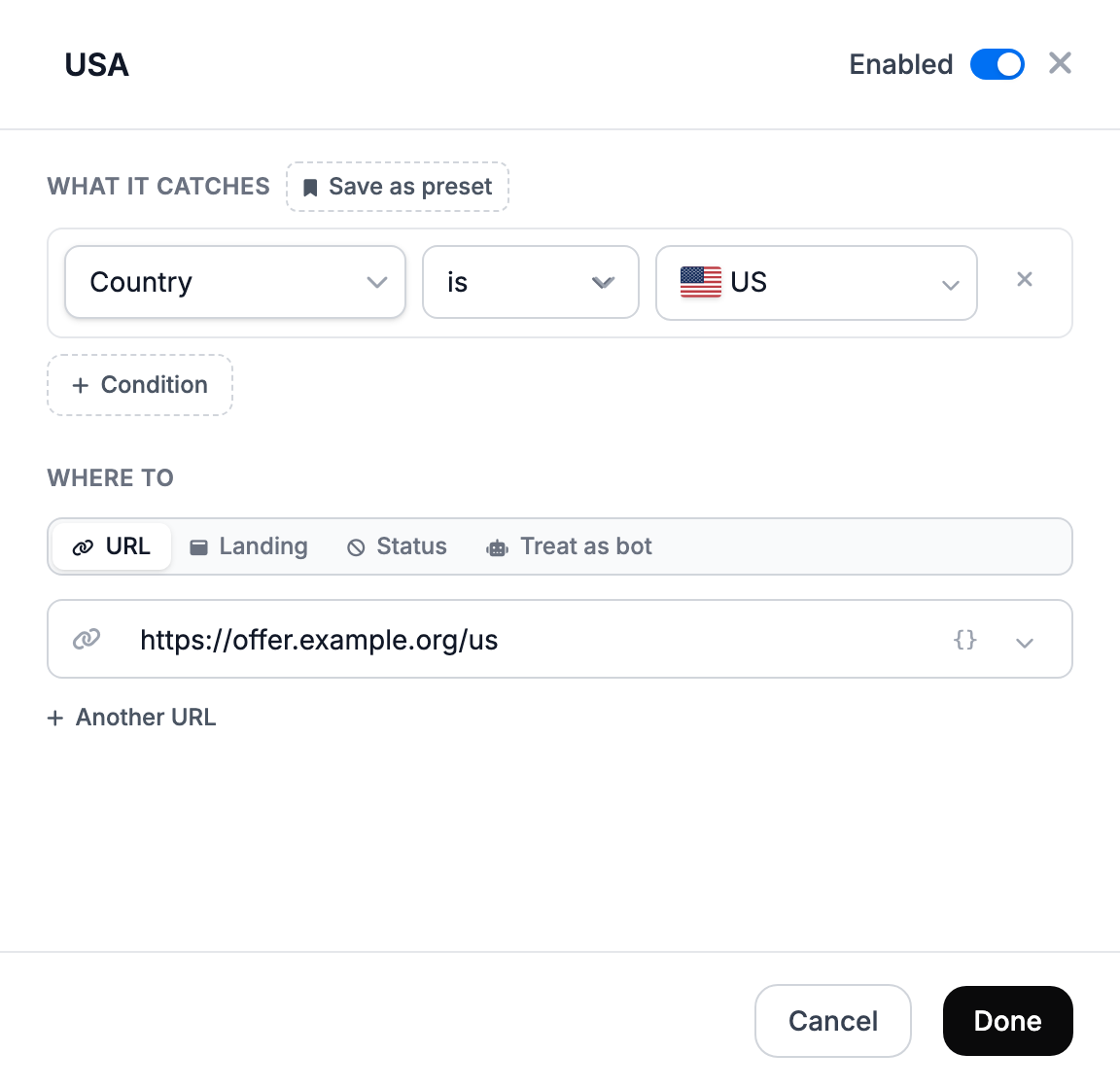
A stream sends part of the traffic to a separate URL: for example, people from the US to one page and everyone else to the main one. You add streams with the Stream button in the Traffic route block.
How streams are checked
Bots are filtered out first — streams do not apply to them. Then streams are checked from top to bottom, and the first matching one wins. If none matches, the visitor goes to the main URL.
So put narrow conditions above broad ones. If a stream can never fire because of a stream above it, the dashboard marks it never runs.
Where a stream can lead
| Destination | What the visitor gets |
|---|---|
| URL | a redirect to the URL; you can set several URLs with shares |
| Landing | your landing page |
| Status | an empty response with code 404, 403, 500 or 205 |
| Treat as bot | the bot action — to cut off traffic that the filter let through |
Conditions
Each condition has two variants: is and is not. In one condition you can list several values separated by commas — it matches if any of them fits. If a stream has several conditions, All requires all of them to match, Any at least one.
| Condition | What to enter | Example |
|---|---|---|
| Country | pick from the list | US, DE |
| City, Region / State | name in English | Berlin; CA |
| ISP / Provider | part of the provider name | T-Mobile |
| IP Address | an address or subnet | 203.0.113.7, 203.0.113.0/24 |
| Proxy / VPN | turn on | — |
| Device | desktop, mobile or tablet | — |
| Device Model | part of the model name | iPhone, Galaxy S24 |
| OS, Browser, Browser engine | pick from the list | — |
| OS Version, Browser Version | version number | 17, 120 |
| User-Agent | part of the User-Agent string | Instagram |
| Language | two-letter browser language code | ru, en |
| Referrer | part of the address of the site the visitor came from | facebook.com |
| Direct (no referrer) | turn on | — |
| URL Parameter | name=value from the link address | utm_source=fb |
| HTTP Headers | Name=value or just the header name | X-Requested-With=com.facebook.katana |
| Unique visitor, Returning visitor | turn on | — |
| IP click count | a number: the condition matches when one IP has made this many clicks on the link or more | 3 |
| First N visits | the number of first clicks on the link | 100 |
| Day of Week, Days of month | pick days; days of the month separated by commas | 1, 15 |
| Time of day | hours in UTC | 9-18 |
| Date range | two dates separated by a comma | 2026-10-01,2026-10-31 |
Time of day and days are counted in UTC: for Moscow, subtract 3 hours.
For common tasks there are ready-made condition sets: US Mobile, Tier 1 GEOs, iOS, Android, Weekdays and others. You can save your own sets with the Save as preset button and use them in any template.
Common tasks
| Task | How to set it up |
|---|---|
| Different offers for different countries | one stream per country, the main URL for everyone else |
| A separate offer for iOS and Android | the OS condition in two streams |
| Traffic from one source to its own URL | URL Parameter utm_source=… in the ad link and in the stream |
| A different page for returning visitors | a stream with the Returning visitor condition |
| Cut off traffic through VPN and proxies | a Proxy / VPN stream with the Treat as bot destination |
| Traffic from the Facebook or Instagram in-app browser | the User-Agent condition with the values FBAN, FB_IAB, Instagram |
| Different URLs during the day and at night | Time of day in UTC |
| Show the offer only during a promotion | Date range |
Streams and existing links
Streams are copied into a link when it is created. After you edit streams in the template, the dashboard offers to update the links too — otherwise they keep working with the old streams. A single link can have its own streams, see template and links.