

Step 4. Links and the first click
Create your first link and test the redirect.
A link is a URL on your domain that you put into your ads, for example https://example.com/Ab3xZ. It follows the template's rules: it sends people to the destination URL and shows bots what you set.
Create a link
If you already created links in the window that opens after creating a template, skip to testing.
Open Links → Create Link. Select the template from the previous step and your domain — the destination URL is filled in from the template.
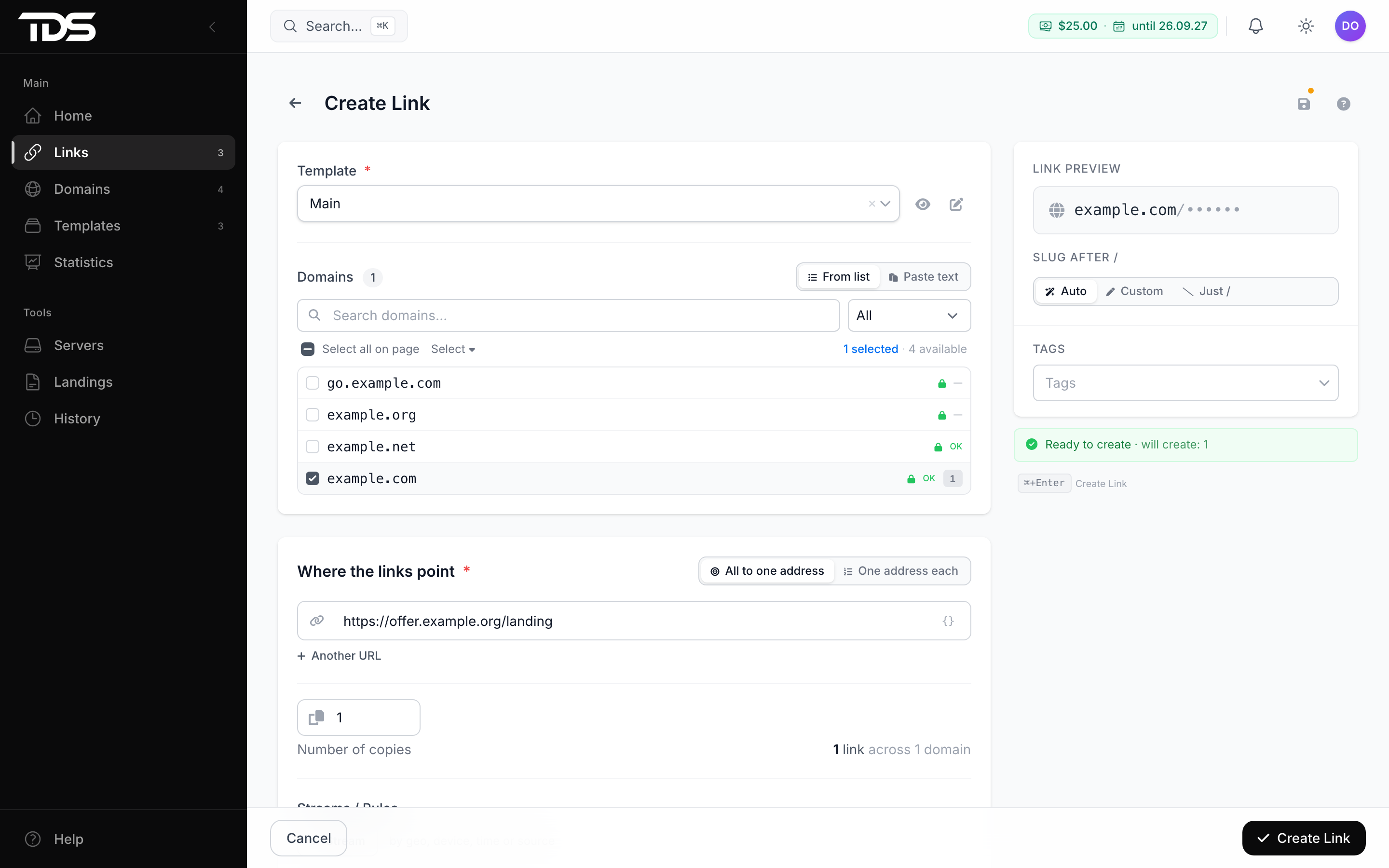
The dashboard generates the slug after / itself. If you want a meaningful URL, for example example.com/promo, select Custom and enter the slug.
Click Create Link. The dashboard checks the domain once more and shows the finished URL — copy it.
Test the redirect
Open the link in a browser. You should land on the destination URL.
If the bot page opens, the filter took you for a bot — this happens when you visit through a VPN or proxy. Check from a phone over mobile internet.
If the link does not open at all, check that the domain's DNS points to the server and that the server is Online. Other cases are in link troubleshooting.
Find the click in statistics
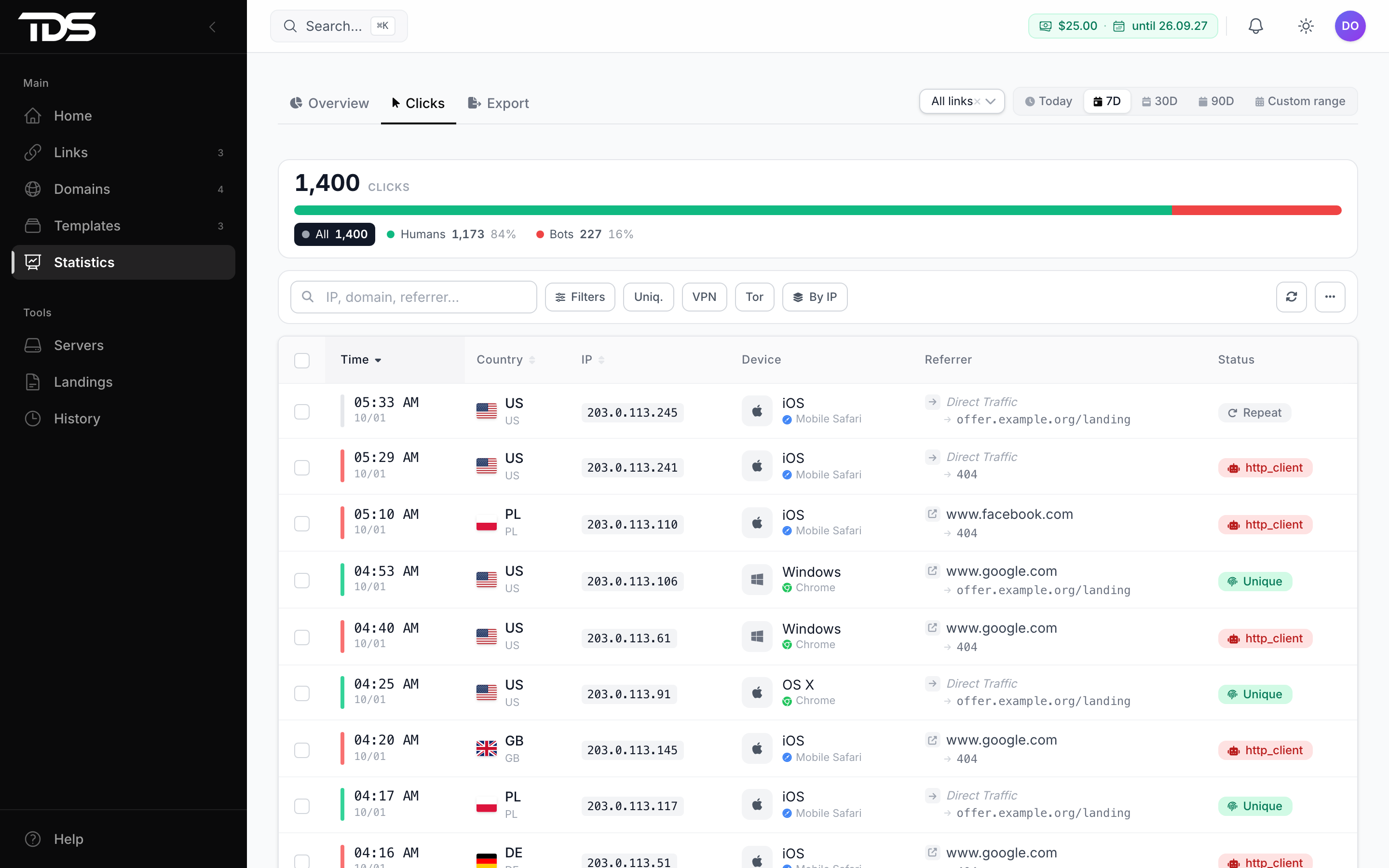
Open Statistics → Clicks. Your click will be at the top of the list, with the country, device and the URL you landed on.
The first setup is done. Next, you can set up different URLs for countries and devices or see how a click is processed.