

Different URLs for countries and devices
How to send visitors from different countries and devices to different URLs.
Streams send visitors to different URLs by country, device, language and other conditions. Below is the main example and ready-made settings for common tasks.
Example: mobile visitors from Germany go to URL A, the rest of Germany goes to URL B, and other countries go to the template's main URL.
Set up streams in the template
- Open the template and click Stream in the Traffic route block. Add the conditions Country is DE and Device is Mobile, and enter URL A.
- Add a second stream: Country is DE, URL B.
- Click Save. In the Apply changes to links? window, leave only Traffic distribution rules checked and click Save & update links.
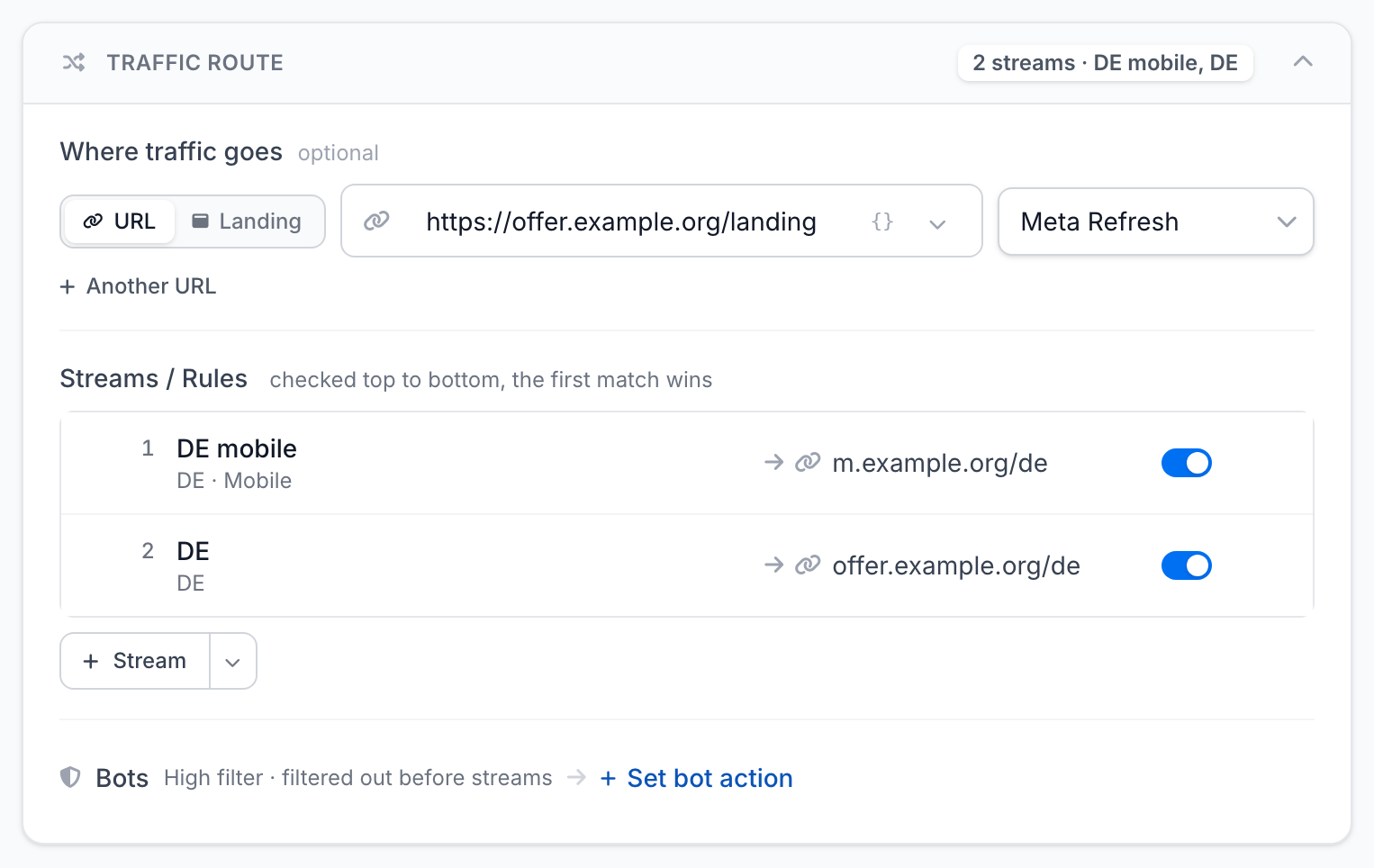
Streams are checked from top to bottom, and the first matching one wins. So put the narrow rule above the broad one: if "DE" is above "DE mobile", mobile visitors also go to URL B. Drag streams to change the order.
Mobile does not include tablets. If you need both, select Mobile and Tablet in one condition. The Preset button fills in ready-made country lists, such as Tier 1 GEOs.
Other common tasks
| Task | How to set it up |
|---|---|
| Let in only one country | stream Country is not US, destination — Treat as bot. Other countries get what is set for bots, and the US goes to the main URL |
| Several countries to one URL | one Country condition with a list: DE, AT, CH |
| A separate URL for each country | one stream per country, the main URL for everyone else |
| Mobile traffic only | stream Device is Desktop, destination — Treat as bot or another URL |
| Separate offers for iOS and Android | two streams with an OS condition |
| Different landing pages by language | stream Language is ru — for Russian speakers, the main URL for everyone else |
| Cut off VPN traffic | stream Proxy / VPN, destination — Treat as bot |
All conditions and their value formats are in Streams.
Streams for one link
You can also set streams on a single link's page. Note: if you later copy streams from the template to this link, its own streams are replaced.
Check
Open the link from your phone. In Statistics → Clicks, open your visit — it shows the country, device and the URL you went to.
If it does not work
- Links still work the old way — streams were not copied from the template, see Changes did not apply.
- Your visit did not match the stream — the filter took you for a bot, see Verify filtering.