

Replace a blocked domain
How to move links from a blocked domain to a new one without losing statistics.
You can move links to a new domain and keep their slugs and statistics: old.example.com/Ab3xZ becomes new.example.org/Ab3xZ.
Blocked domains are shown in Domains in the Blocked segment. To have TDS.SO check for blocks, add platform tokens.
Replace the domain
- Point the new domain's DNS to the server and add the domain with checks turned on.
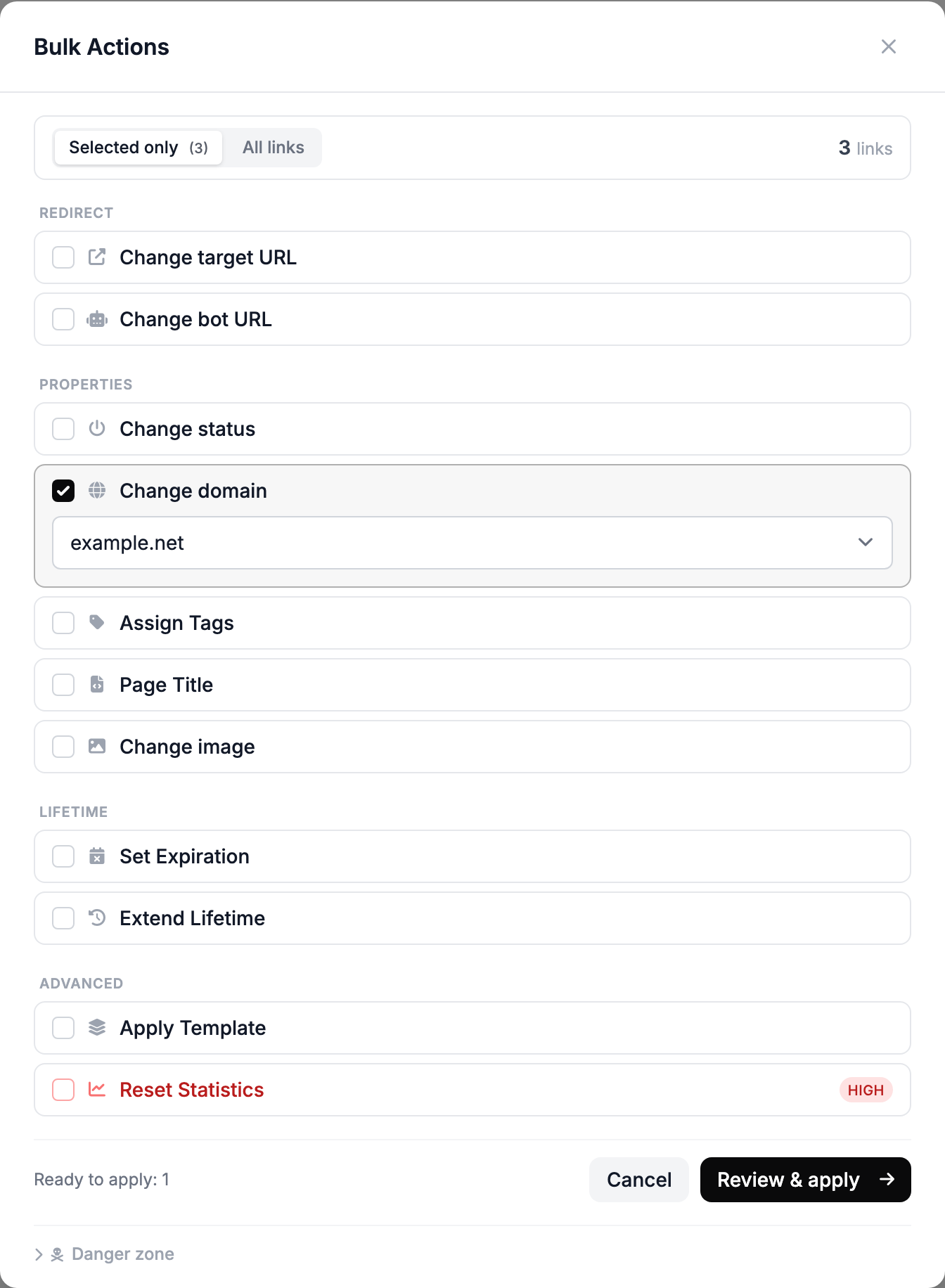
- In Links, find the old domain's links and open Bulk Actions.
- Check Change domain, select the new one and click Review & apply.
- Select the moved links, click Copy URLs and replace the URLs in your ad accounts.
- Delete the old domain.
A minute after the move, the old URLs stop working. Replace the links in your placements right away.
What is kept
The template, streams, destination URL and clicks stay with the links. In statistics, their clicks are shown under the new domain.
If you delete the domain before moving the links, the links go to the trash. You can restore them within 10 days and then move them.
If some links were not moved
The new domain already has a link with the same slug after the slash. Move the remaining links to another domain.
If the new domain opens without HTTPS, see No SSL padlock.