

Change the offer on all links
How to replace the destination URL in existing links: with the template, bulk actions or the API.
The destination URL is stored in each link, so after you edit the template you need to copy it to the links. URLs inside streams are changed separately — see below.
With the template
Use this if all the template's links lead to one offer.
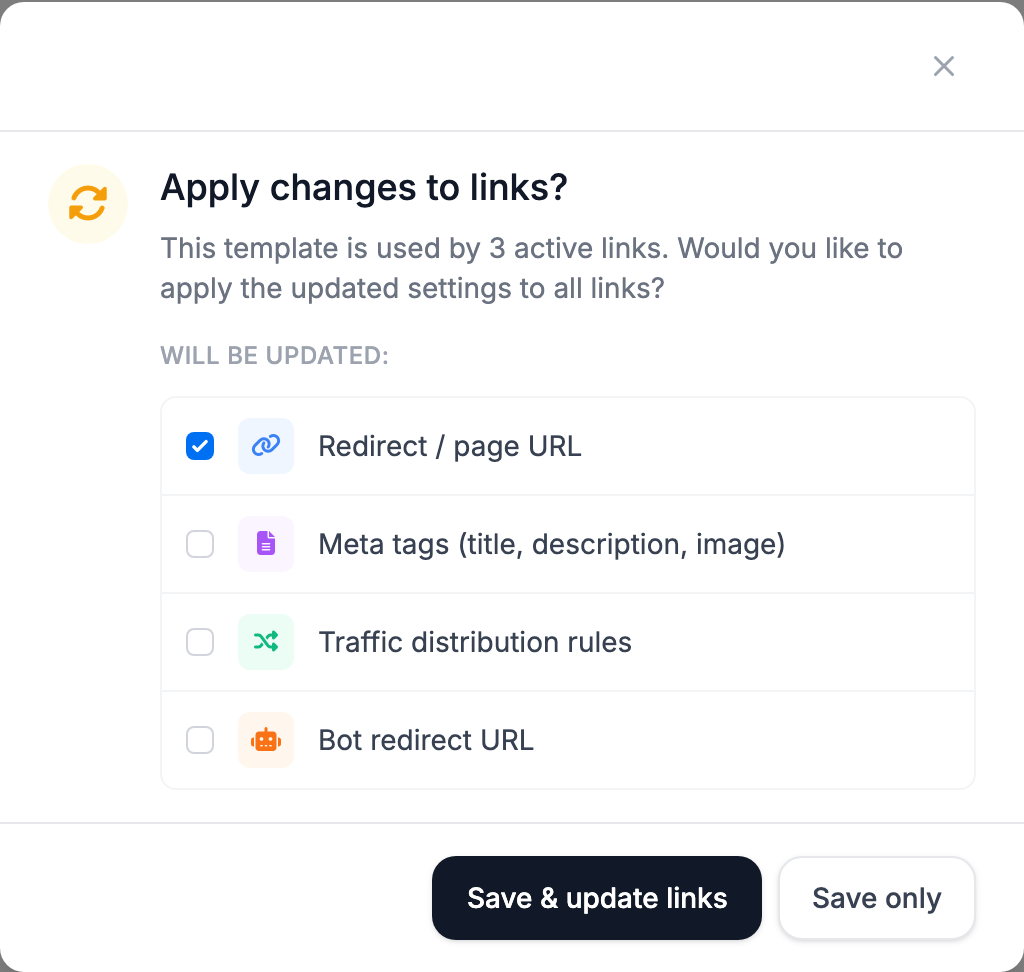
- Replace the URL in the template's Traffic route and click Save.
- In the Apply changes to links? window, leave only Redirect / page URL checked.
- Click Save & update links.
All the template's links get the new URL, and so do the ones you create later.
With bulk actions
Use this for some of the links or for links from different templates.
- In Links, select the links you need or filter them, and open Bulk Actions.
- Check Change target URL, enter the new URL and click Review & apply.
The template does not change. To make new links lead to the new offer too, replace the URL in the template as well.
With the API
Replace the URL in the template and in all its links:
curl -X PUT "https://api.tds.so/v1/templates/123" \
  -H "Authorization: Bearer $TDS_API_KEY" \
  -H "Content-Type: application/json" \
  -d '{"destination": "https://offer.example.org/new", "apply_to_links": ["destination"]}'
Only in some links — for example, on one domain:
curl -X POST "https://api.tds.so/v1/links/bulk-update" \
  -H "Authorization: Bearer $TDS_API_KEY" \
  -H "Content-Type: application/json" \
  -d '{"filter": {"domain": "example.com"}, "changes": {"destination": "https://offer.example.org/new"}}'
Other filters are in the API documentation.
If the offer is in streams
Replace the URL in the template's stream, save, and in the Apply changes to links? window leave Traffic distribution rules checked. The links' streams are replaced entirely with the template's streams.
Check
The new URL works immediately. If some visitors still go to the old offer:
- the old URL is still in one of the streams;
- the template uses 301 Permanent — browsers remembered the old URL. For offers that will change, use 302 Temporary.