

Statistics
What statistics show, how to choose a period and what the metrics mean.
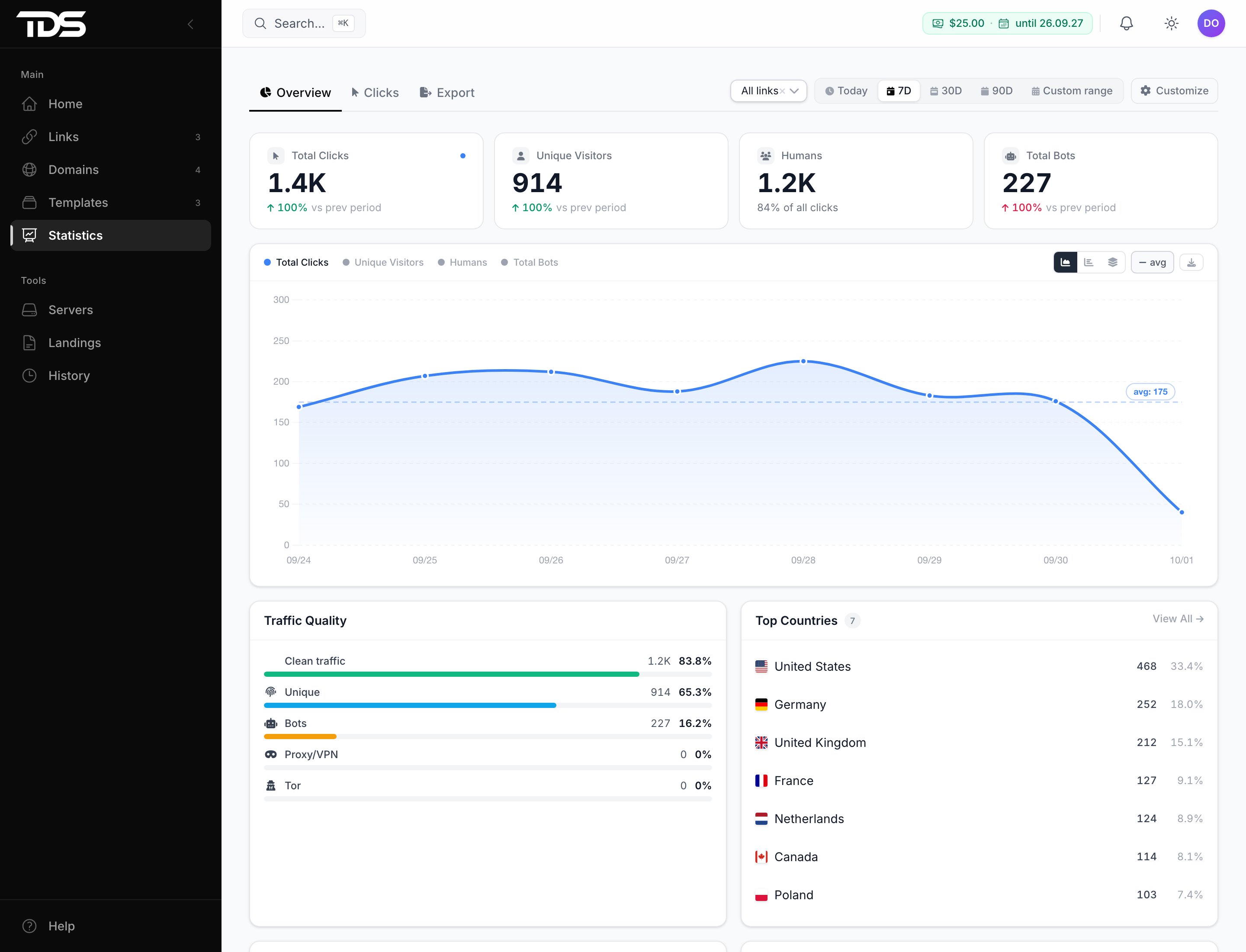
Statistics shows visits to your links: how many there were, how many came from people and from bots, where from and on which devices. The Overview tab is a summary with a chart and breakdowns, Clicks lists every visit separately, Export downloads them to a file.
Period and scope
Choose the period at the top of the section — from today up to a year. All times are Moscow time (UTC+3).
By default, statistics cover all links. To see one link, domain or template, select it in the scope field next to the period. The easiest way to open statistics for a specific link is from that link's page.
What the numbers mean
| Metric | What it counts |
|---|---|
| Total Clicks | all visits to links — people and bots |
| Humans | visits the filter did not consider bots |
| Bots | visits filtered out by the filter |
| Unique Visitors | first visits by people from one IP to one link within 7 days |
| VPN, Tor | visits through a VPN, proxy or the Tor network |
Statistics include your own test visits and visits to paused links.
Why the numbers differ from the ad network
TDS.SO records every visit — including bots and repeat visits — while the ad network and the tracker count by their own rules. Compare them with the Humans metric for the same period in Moscow time. The numbers will not match exactly, but the difference should be stable.
The summary on the home page updates with a delay of up to 15 minutes. The latest numbers are on the Overview tab.